






Skip to content

Sell, support and organize. In one place.

What people use it for

500 customers reached before lunch.

Pick who gets it, personalise the template with each record's own data, schedule it. Then watch delivered, read and replied climb in real time.

See how selling works

The WhatsApp Business app doesn't scale. Neither does your spreadsheet.

BlueMarlin is the WhatsApp workspace with a flexible CRM and an AI agent that works on both sides. No markups, no contracts.

Most small businesses sell and support their customers on WhatsApp — and manage that relationship from a shared phone and a spreadsheet. Existing platforms give you an inbox and campaigns, but their CRM stops at labels and their AI is an expensive, generic add-on.

BlueMarlin wraps WhatsApp in a complete workspace: your team's inbox, your campaigns, and your business data modeled your way. On top, an AI agent that works on both sides: it answers your customers adapting to each audience, and it helps you run the business by chat.

Sell

Reach everyone. Then know exactly who answered.

Campaigns on the official WhatsApp API, personalised per record — and a reply layer that turns an answer into an update instead of another message to read.

Reach every customer — not just the ones who saved your number

A broadcast from the WhatsApp Business app only lands with people who saved you, and stops at 256 per list. Here every message arrives, to as many recipients as you like, with each contact's own data filled in. You see who was left out and why before you send: no phone number, opted out, blocked, over today's limit.

  • Campaigns
  • Segments
  • Approved templates
  • Personalisation

Appointment reminders people actually confirm

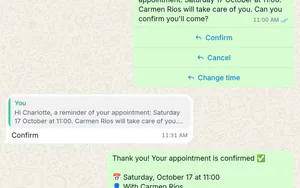
Send the reminder the day before with two buttons — Confirm and Can't make it. A tap writes the answer straight onto the record, tags the contact and pings whoever needs to know. The ones who can't make it land in your inbox so a human can rebook them. Reminders are utility templates, the cheapest kind Meta bills.

  • Templates with buttons
  • Reply rules
  • Records
  • Tags

An appointment reminder sent as a WhatsApp template with two quick-reply buttons: the patient taps "Confirm" and a reply rule instantly sets the Attendance field to Confirmed, adds the Confirmed tag and notifies the team.

Or let the agent handle the replies

For anything a button can't capture, hand the campaign's replies to the agent with a goal and a short brief. It holds the conversation, pulls out the answers you asked for — attending yes or no, preferred day, party size — and writes them onto the record as real fields you can filter on.

  • AI replies
  • Structured capture
  • Field mapping

Turn website visitors into WhatsApp conversations

One line of script on your site. Visitors get a chat button — or a short form that qualifies them first — and arrive in your inbox as a real contact with a real record, not an anonymous ticket.

  • Web widget
  • Qualifying form
  • Contacts

Support

Nobody waits. Nothing gets lost.

A shared inbox your whole team can work from, and an agent that takes the first pass — knowing exactly who it is talking to, and when to step aside.

One number, your whole team — and nobody asks “who's got this?”

Every conversation in one inbox: assign an owner, filter to what's yours, leave internal notes only your team sees, and read the customer's record without leaving the chat. Star it, archive it, mute it, block the ones who deserve it.

  • Team inbox
  • Assignment
  • Internal notes
  • Contact record

And your number can stay on your phone

Connecting a number to the official API usually means it leaves the WhatsApp Business app for good. It doesn't have to. With coexistence the app keeps working exactly as it does today while everything syncs into BlueMarlin — reception answers from the phone, the platform adds reminders, templates and history. A dedicated connection is the better call for teams, campaigns and full automation; you choose per number.

  • Coexistence
  • Dedicated numbers
  • Official Cloud API

Answered in seconds. Also at 2 a.m.

The agent replies from your own data in your own tone, and steps aside the moment it should: on a keyword you choose, after too many refused requests, or whenever someone on your team takes the conversation. Outside business hours it can answer alone, or just say when you open.

  • AI agent
  • Escalation
  • Business hours
  • Handover

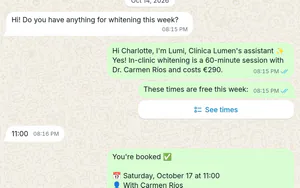
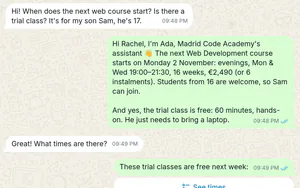
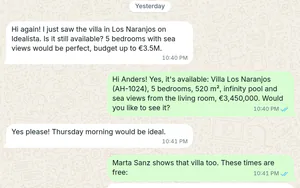
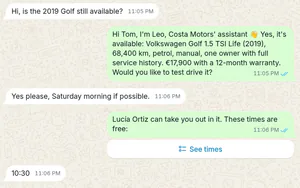
Demo: a lead asks about a flat on WhatsApp, the Agent replies with price and available slots, and the viewing gets booked.

It learns your business from your own website

Paste your URL. We find the pages worth reading — services, prices, FAQ, about — you tick the ones you want and discard the rest. A few minutes later the agent answers from them. Add a Q&A or a document any time.

  • Knowledge
  • Website import
  • Q&A
  • Documents

Importing a website into the agent's knowledge: five pages are discovered, the four informational ones are pre-selected, and each is extracted and saved as a knowledge source.

Voice notes you can read

Customers send audio, because of course they do. You get the text in the thread — readable, searchable, quotable — so nobody has to put a phone to their ear to find out what the message actually said.

  • Transcription
  • Search

An incoming WhatsApp voice note. BlueMarlin transcribes it automatically, so the message is readable and searchable as text.

Organize

Your business, shaped like your business.

This is the part nobody else has. The conversations sit on top of your actual data — modelled your way, not squeezed into somebody's idea of a contact.

One collection per need, not one per vendor

Properties, tenants, students, patients, invoices, viewings — you model them, with the fields you actually use. Formulas that compute themselves, invoice numbers that increment, relations between collections, addresses with a pin on a map, files and photos on the record. No pipeline you didn't ask for.

  • Collections
  • 17 field types
  • Relations
  • Formulas
  • Files

The same records, three ways to look at them

Table when you're working down a list. Board when you're moving things along a status. Calendar when what matters is when. Filter, group and sort how you like, save it as a view your team shares — and keep your own column widths on top of it without disturbing anyone.

  • Table
  • Board
  • Calendar
  • Shared views
  • Filters

The same Viewings collection rendered as a table, a Kanban board and a month calendar.

Viewings 47

Ask instead of filtering

The same agent works inside the workspace, for your team only. It queries, creates and updates records, imports the spreadsheet you drop into the chat, builds a collection, drafts a campaign. Nothing it does here ever reaches a customer.

  • AI agent
  • Spreadsheet import
  • Bulk edits
  • Dictation

A dossier, a contract, a report — built from the record

Design a page once for a collection, with placeholders where the data goes. Every record renders it three ways: as a live preview, as a public link that updates itself the moment you edit the record, and as a PDF that attaches to the record and goes out over WhatsApp. Password and expiry on the link if it's private.

  • Pages
  • Public links
  • PDF
  • Send on WhatsApp

One page template per collection, written with record placeholders. Applied to a property it renders live, publishes as a public link that stays in sync with the record, and exports a PDF attached to that record — ready to send over WhatsApp.

Teach it once, and it repeats it every week

Describe the procedure in your own words — “every Monday at nine, list the tenants who haven't paid and draft the reminder”. It compiles into numbered steps with hard limits: how many rows it may touch, how long it may run, how much it may spend. Then it runs on a schedule, on request, or when something happens. Every run is on the record.

  • Skills
  • Schedules
  • Guardrails
  • Run history

One agent. Two sides of your business.

It answers your customers on WhatsApp and on your site, adapting to whoever is writing. And inside the workspace it works for your team. Same agent, same data — not an add-on bolted on top.

With your customers

WhatsApp and your website

Replies on your behalf with the data and tone you decide. Each audience defines what it can read, what it can do, and when the conversation goes to your team.

With your team

Inside the workspace

You talk to it like a teammate and it executes: queries your data, creates records, imports a spreadsheet, drafts a campaign. Nothing that happens here reaches your customers.

It knows who it is talking to

An audience is a rule about who someone is, and a contract about what the agent may do for them. A new lead, a tenant and a supplier get a different tone, different knowledge, different tools — and a different slice of your data.

The same Tenants collection seen by two audiences: new leads read only their own record and just three of its eight fields, tenants read six and can update their phone and email. The rest never reach the model.

It doesn't just answer. It does the work.

One workspace, one set of data — no separate tools

What it looks like in a real business.

The workspace takes the shape of whatever you run. Three set-ups, and the five things each one uses most.

Real estate

Collections for properties, leads, viewings and contracts.

  • The agent answers price, size and area questions straight from your own listings
  • Viewing requests land in the inbox with the property record attached
  • Property dossier as a PDF, sent over WhatsApp from the record
  • A public link to the listing that updates itself when the price changes
  • Clients' voice notes, transcribed and searchable

Academy

Collections for students, groups, enrolments and payments.

  • Weekly schedule reminders, by level and by group
  • Enrolment campaigns personalised with each student's data
  • Payment reminders with a button that marks who confirmed
  • Parents and students as separate audiences, answered differently
  • A scheduled skill that drafts the month's payments

Clinic

Collections for patients, appointments and treatments.

  • Appointment reminders with Confirm and Can't make it
  • The ones who can't make it land in the inbox to be rebooked
  • The patient's record open beside the conversation
  • Out of hours, the agent answers or says when you open
  • Opt-outs and blocks recorded, with who did it and when

Everything on this page is also an API.

A versioned REST API with an OpenAPI spec, keys scoped per resource, and signed webhooks for the events you care about. Included from the first paid plan — not sold back to you as an enterprise add-on.

Read the API docs

Honest questions, honest answers.

The doubts we hear before people start. If you have another one, message us on WhatsApp — it's kind of our thing.

No contracts. No sales demos. Start this afternoon.

Your inbox, your campaigns and your business data — where your customers already talk.